

Airtable Free Plan Limits 2026: Is It Enough?
Airtable Free gives you 1,000 records, 1 GB storage, and 100 automation runs per month. Here are the exact limits and when upgrading to Team makes sense.
Airtable Free Plan Limits in 2026: Is It Enough for Real Work?
Prices verified: March 25, 2026 | Source: airtable.com/pricing
Airtable’s Free plan gives you 1,000 records per base, 1 GB attachment storage, and 100 automation runs per month. That sounds fine — until a content calendar with daily posts fills those 1,000 records in under a year. Or a CRM adding 50 contacts per week hits the ceiling in five months.
I’ve tracked Airtable’s pricing since 2020 through our Airtable pricing tracker. The free plan has gotten less generous over time. Records dropped from 1,200 to 1,000 in 2023. The paid Team plan doubled from $10 to $20/seat that same year. Here’s what you get on Free today, the limits that catch people, and when upgrading makes financial sense.
What Does Airtable Free Include in 2026?
The Free plan is genuinely useful for small projects. Here are the exact limits as of March 2026:
| Feature | Free Plan Limit | What It Means |
|---|---|---|
| Records per base | 1,000 | All tables in a base share this cap |
| Attachment storage | 1 GB per base | ~200 photos or ~50 PDFs |
| Automation runs | 100/month | ~5 per business day |
| AI credits | 500/month | For AI field types and formulas |
| Editors per workspace | 5 maximum | Hard cap on edit-access users |
| Commenters | 50 maximum | Read + comment only |
| Bases | Unlimited | Each base has its own record limit |
| Views | Grid, Form, Kanban, Gallery, Calendar | No Gantt or Timeline |
| Extensions | 1 per base | Charts, scripting, pivot — pick one |
| Revision history | 14 days | Can’t recover older changes |
| Sync integrations | None | No Salesforce, Jira, or external sync |
What’s genuinely good: Unlimited bases, no time limit on the free plan, and enough views (grid, kanban, calendar, gallery, form) to handle most personal workflows. The 500 AI credits per month are new in 2025 and let you use AI-powered field types without paying.
Which Limits Will You Hit First?
After watching hundreds of Airtable users on forums and in our monitoring data, three limits cause the most forced upgrades. The record ceiling is by far the most common, followed by the automation cap and the editor limit. Understanding which one you’ll hit first depends entirely on your use case and team size.
1. The 1,000 Record Ceiling (Most Common)
Records are counted per base, not per table. If you have a base with three tables — Contacts (400), Companies (200), and Deals (400) — you’re at 1,000. One new entry and you’re blocked.
Real-world timelines to hitting 1,000 records:
| Use Case | Records/Week | Time to 1,000 |
|---|---|---|
| Personal task tracker | 5–10 | 2–4 years |
| Content calendar (daily posts) | 7–14 | 1.5–3 years |
| Small CRM (freelancer) | 10–20 | 1–2 years |
| Team CRM (5 salespeople) | 50–100 | 2.5–5 months |
| E-commerce inventory | Immediate (bulk import) | Day 1 if >1,000 SKUs |
| Event registrations | Variable | One event if >1,000 attendees |
The workaround trap: You can create multiple bases to get around the limit, but this breaks cross-table linking — the main reason to use Airtable over Google Sheets. Splitting related data across bases defeats the purpose.
2. The 100 Automation Runs Cap
100 runs per month sounds fine. Then you set up a “when record updated” trigger. One automation that fires on every edit can burn 100 runs in a single day. Even a modest setup uses 2 runs per record change — a Slack ping when status changes, plus a date field update on completion.
Budget reality: If you need automations for anything beyond occasional triggers, plan for the Team plan’s 25,000 runs from the start.
3. The 5 Editor Limit
Free workspaces are now capped at 5 editors and 50 commenters. This is relatively new. Airtable used to allow unlimited free collaborators. A team of 6 who all need edit access must upgrade, no matter how few records they use. This limit alone forces many growing teams onto the Team plan before they hit the record ceiling.
How Does Airtable Free Compare to Paid Plans?
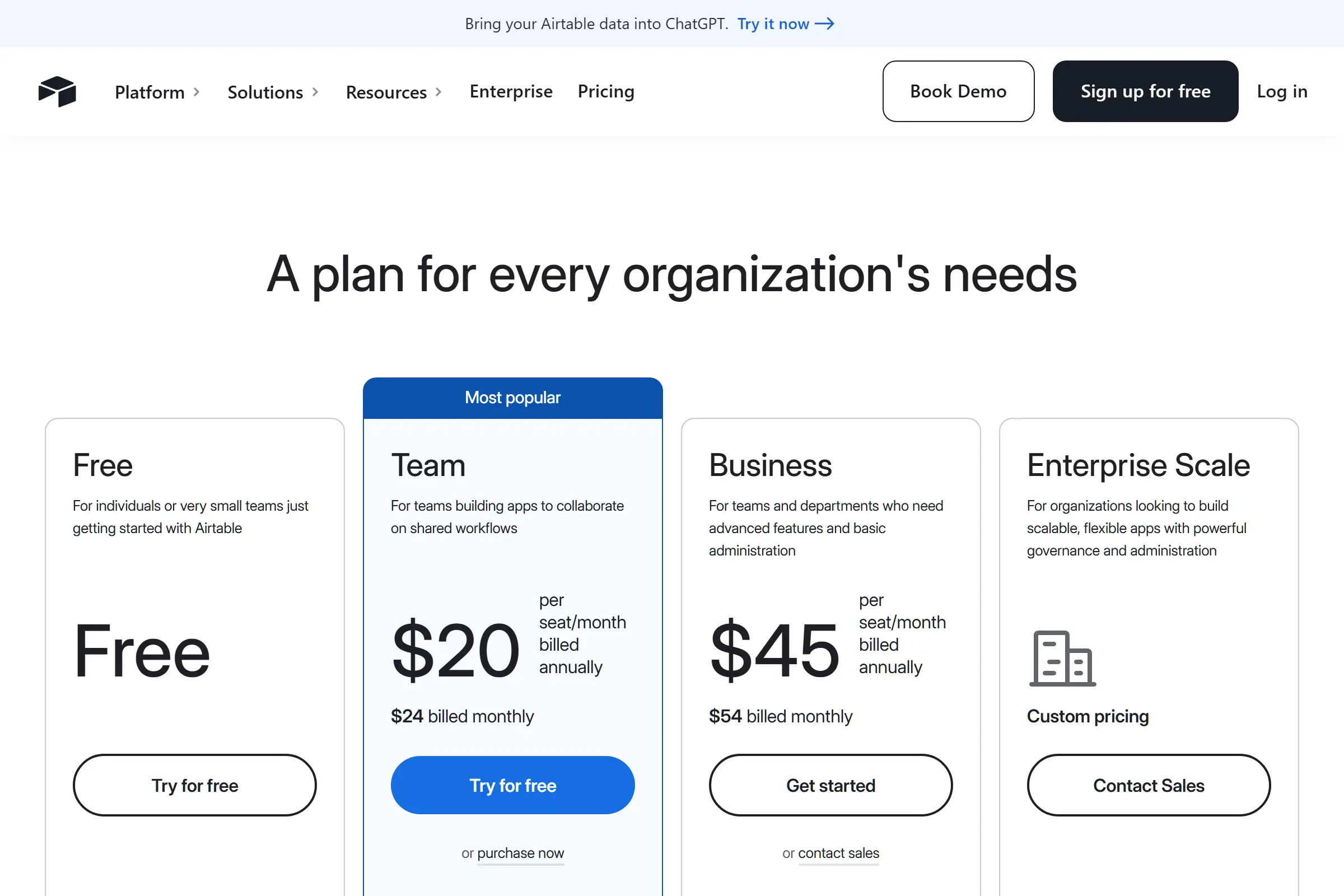
Here’s the full plan comparison as of March 2026. Prices shown are annual billing (monthly billing costs 17–20% more):
| Feature | Free | Team ($20/seat/mo) | Business ($45/seat/mo) | Enterprise (Custom) |
|---|---|---|---|---|
| Records/base | 1,000 | 50,000 | 125,000 | 500,000 |
| Storage/base | 1 GB | 20 GB | 100 GB | 1 TB |
| Automations | 100/mo | 25,000/mo | 100,000/mo | 500,000/mo |
| AI credits | 500/mo | 15,000/mo | 20,000/mo | Custom |
| Editors | 5 max | Unlimited | Unlimited | Unlimited |
| Gantt & Timeline | ✗ | ✓ | ✓ | ✓ |
| Sync integrations | ✗ | 10 tables | 20 tables | 20 tables |
| Extensions/base | 1 | 10 | 25 | Unlimited |
| Revision history | 14 days | 6 months | 2 years | 3 years |
| SSO / Admin panel | ✗ | ✗ | ✓ | ✓ |
| Monthly price/seat | $0 | $24 (or $20 annual) | $54 (or $45 annual) | Contact sales |
The jump from Free to Team is steep. You go from $0 to $20–24/seat/month with no intermediate option. Airtable killed their old Plus plan ($10/seat) in September 2023 and rolled its features into Team at double the price. For context, Notion charges $10/user/month for a comparable workspace with no record limits.
How Much Does Airtable Actually Cost for a Team?
Per-seat pricing is easy to underestimate. Here’s what real teams pay on the Team plan (annual billing at $20/seat):
| Team Size | Monthly Cost | Annual Cost | Comparable Alternative |
|---|---|---|---|
| 1 person | $20 | $240 | Notion: $10/mo ($120/yr) |
| 3 people | $60 | $720 | Notion: $30/mo ($360/yr) |
| 5 people | $100 | $1,200 | Notion: $50/mo ($600/yr) |
| 10 people | $200 | $2,400 | Notion: $100/mo ($1,200/yr) |
| 25 people | $500 | $6,000 | Notion: $250/mo ($3,000/yr) |
Airtable costs exactly 2x Notion per seat. That premium is justified if you need Airtable’s relational database features, views, and automations. It’s not justified if you primarily need docs with some database tables on the side.
Cost-saving tip: Only give edit access to people who create or modify records. Read-only viewers (commenters) don’t count as paid seats on Team and Business plans. A 10-person team where 4 edit and 6 view pays $80/month, not $200.
When Should You Upgrade from Free?
Based on the limits above, here are the five triggers that mean it’s time to pay:
| Upgrade Trigger | Free Limit | Team Gives You | Urgency |
|---|---|---|---|
| Approaching 1,000 records | 1,000/base | 50,000/base | High — blocks new entries |
| Need 6+ editors | 5 editors | Unlimited | High — blocks team access |
| Automations running out | 100/month | 25,000/month | Medium — workflows break |
| Need Gantt or Timeline view | Not available | Included | Medium — project management |
| Need external sync (Salesforce, Jira) | Not available | 10 synced tables | Low — plan around it initially |
My recommendation: Start on Free to learn the interface and validate your workflow. Budget for Team from day one if you have real data. Most teams I’ve seen outgrow Free within 3–6 months of active use. The 1,000 record limit is the #1 reason people upgrade, followed by the automation cap.
Can Airtable Free Replace Google Sheets?
For structured data with relationships, yes. Airtable Free does things Google Sheets cannot: linked records between tables, kanban views, form views, and basic automations. If you’re managing a content calendar, tracking job applications, or running a simple inventory, Airtable Free is a meaningful upgrade from Sheets.
Where Sheets wins: No record limits (millions of rows), better formula support, real-time collaboration with unlimited users, and it’s completely free with a Google account. If your workflow is calculation-heavy or you have large datasets, Sheets is still the better choice.
The breakpoint: When you catch yourself building workarounds in Sheets — vlookups across tabs, manual status tracking, color-coded rows as a poor man’s kanban — that’s when Airtable Free gives you genuine value. Just know the 1,000 record limit is waiting.
Is Airtable Free Worth It Compared to Notion and Coda?
Airtable isn’t the only free option for structured data. Notion and Coda both offer free tiers with different trade-offs:
| Feature | Airtable Free | Notion Free | Coda Free |
|---|---|---|---|
| Records/rows | 1,000/base | Unlimited | 1,000 (across all docs) |
| Storage | 1 GB/base | 5 GB total | 50 objects |
| Automations | 100 runs/mo | None (paid only) | Limited |
| Docs + database | Database only | Both | Both |
| Best for | Structured data, views | All-in-one workspace | Custom apps, formulas |
| Upgrade price | $20/seat/mo | $10/user/mo | $10/user/mo |
Choose Airtable Free if you need a spreadsheet-like database with views (kanban, calendar, gallery) and basic automations. Airtable’s interface is the most intuitive for non-technical users who think in rows and columns.
Choose Notion Free if you want docs and databases in one tool with no record limits. Notion’s free plan is more generous for individual use. Its database features are simpler than Airtable’s, but good enough for most teams. (See Notion pricing.)
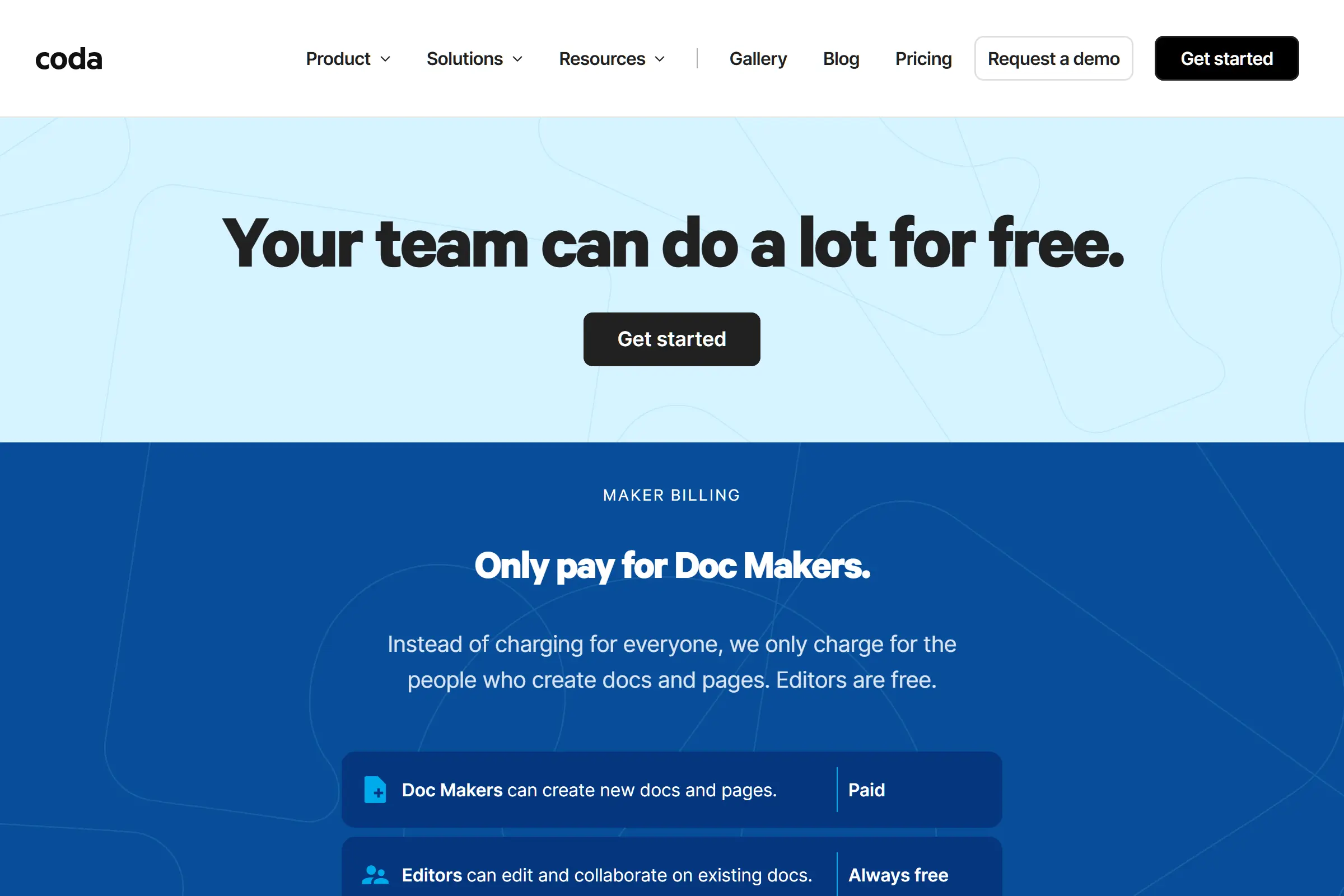
Choose Coda Free if you want powerful formulas and custom apps. Coda has a steeper learning curve but more flexibility for heavy automations. (See Coda pricing.)
How Has the Airtable Free Plan Changed Over Time?
Airtable has gradually tightened its free plan limits while raising paid prices. Here’s the timeline based on our pricing tracking data:
| Year | Change | Impact |
|---|---|---|
| 2020 | Free plan: 1,200 records/base, unlimited collaborators | Generous free tier attracted users |
| 2022 | Automation limit set to 100 runs/month on Free | Workflow users pushed to paid plans |
| 2023 (Feb) | Records reduced from 1,200 to 1,000 per base | 17% reduction in free storage |
| 2023 (Sep) | Plus plan ($10/seat) killed; Team launched at $20/seat | Entry-level paid price doubled |
| 2024–2025 | 5 editor cap added; AI credits (500/mo) introduced | New limit on collaborators; new AI feature as sweetener |
| 2026 | Pricing stable: Free/Team $20/Business $45 (annual) | No changes to limits or pricing |
The pattern is clear: Airtable is tightening free limits and raising paid prices. The free plan in 2020 was more generous than today’s. If you’re evaluating Airtable, don’t assume today’s free limits will stay the same — plan for paid from the start if your use case is serious. (Data source: SaaS Price Pulse pricing history, verified against Archive.org snapshots.)
Bottom Line: Is Airtable’s Free Plan Enough?
For personal projects and learning: Yes. The free plan is genuinely functional. Unlimited bases, five useful view types, and 100 automation runs handle personal task trackers, hobby projects, and small inventories comfortably.
For team or business use: Almost certainly not for long. The 1,000 record limit and 5 editor cap mean most teams outgrow Free within 3–6 months. Budget $20/seat/month (annual) for the Team plan from day one.
For budget-conscious users: Consider Notion first. Its free plan has no record limits, and the paid tier is half the price ($10/user vs. $20/seat). Airtable is only worth the premium if you specifically need its database views, automations, and spreadsheet-like interface.
Start free, plan for paid. That’s the honest advice.
We track Airtable’s pricing automatically and update this page when anything changes. See our full Airtable Free vs Paid comparison for a deeper feature breakdown.
Share this article
Start Tracking SaaS Pricing Today
Never miss a competitor pricing change. Get instant alerts and stay ahead.
Start Tracking Free →