
Procreate Pricing 2026: Plans & Reviews
iPad digital painting
🔔 Get alerted the next time Procreate changes its price
Instant email + Slack alerts on real price changes. From $19/month.
Key Facts
- Current price:
- $12.99 one-time (iPad), $19.99 one-time (Dreams), $5.99 one-time (Pocket)
- Pricing model:
- One-time purchase — no subscription
- Last change:
- $9.99 → $12.99 (30% increase, ~2024)
- Plans available:
- 3
- Free tier:
- No free tier — one-time purchase only
- Data source:
- Official App Store pricing, verified February 2026
- Snapshots tracked:
- 31
Quick Verdict
Bottom Line
Procreate is one of the best deals in creative software: $12.99 one-time for a full illustration suite on iPad. No subscription, no annual renewal, no 'pay more to unlock features.' You buy it once and own it forever, including free updates. In a world where Adobe charges $22.99/month ($275/year) for Photoshop alone, Procreate's pricing model is almost rebelliously consumer-friendly. We've tracked this pricing across 31 snapshots and the one-time model has never wavered. The catch: it's iPad-only, so you need Apple hardware to use it.
Who Should Use It
- Digital artists and illustrators who work primarily on iPad
- Designers who want a Photoshop alternative without subscription fees
- Hobbyists exploring digital art (lowest barrier to entry at $12.99)
- Professionals who value the Apple Pencil + iPad drawing experience
Who Should Skip It
- Artists who need Windows/Mac desktop software (iPad-only)
- Photo editors who need advanced compositing (Photoshop is better)
- Teams needing collaboration features (Procreate is single-user)
- Users who don't own an iPad (hardware cost is $329+)
Our Monitoring Data
We've monitored Procreate's pricing across 31 snapshots since November 2022. In over 3 years of tracking, the only price change was the $9.99 → $12.99 increase — and even that kept the one-time purchase model intact. Savage Interactive's commitment to no subscriptions is not marketing talk; our data confirms it hasn't wavered once.
What is Procreate?
Procreate is the gold standard for digital illustration on iPad. Created by Savage Interactive (an Australian company founded in 2011), it's been the #1 paid iPad app multiple times and has sold millions of copies worldwide.
What makes Procreate remarkable isn't just the app — it's the business model. While every other creative software company has moved to subscriptions (Adobe, Affinity eventually, Clip Studio Paint), Procreate stubbornly sticks to a one-time purchase. Pay $12.99 once. Get every update for free. Forever. No "Creative Cloud" subscription. No annual renewal. No feature gating behind tiers.
The app itself is a full professional illustration suite: 200+ brushes, unlimited layers (hardware-dependent), advanced blending modes, animation assist, perspective guides, and a custom brush engine that artists obsess over. It leverages the Apple Pencil's pressure and tilt sensitivity for a drawing experience that feels genuinely natural.
Procreate Dreams ($19.99) is the companion animation app, and Procreate Pocket ($5.99) brings core features to iPhone. Both are also one-time purchases.
Key Features That Affect Pricing
| Feature | Free | Pro | Business |
|---|---|---|---|
| Full illustration suite | ✅ ($12.99) | N/A | |
| Brush library (200+) | ✅ | N/A | |
| Animation assist | ✅ | N/A | |
| PSD import/export | ✅ | N/A | |
| Time-lapse recording | ✅ | N/A | |
| Future updates | Free forever | N/A |
What Makes Procreate Different
- 1$12.99 one-time — no subscription ever – In an industry where Adobe charges $275/year for Photoshop, Procreate's one-time pricing is extraordinary. Over 3 years, Photoshop costs $825 while Procreate costs $12.99. That's a 98.4% savings.
- 2Free updates included forever – Every major Procreate update (5.0, 5.2, 5.3, etc.) has been free for existing owners. No 'upgrade' fees, no 'new version' purchases. Buy once, get improvements for life.
- 3Apple Pencil integration is best-in-class – Procreate is built specifically for Apple Pencil pressure and tilt sensitivity. The drawing experience feels more natural than any desktop illustration tool.
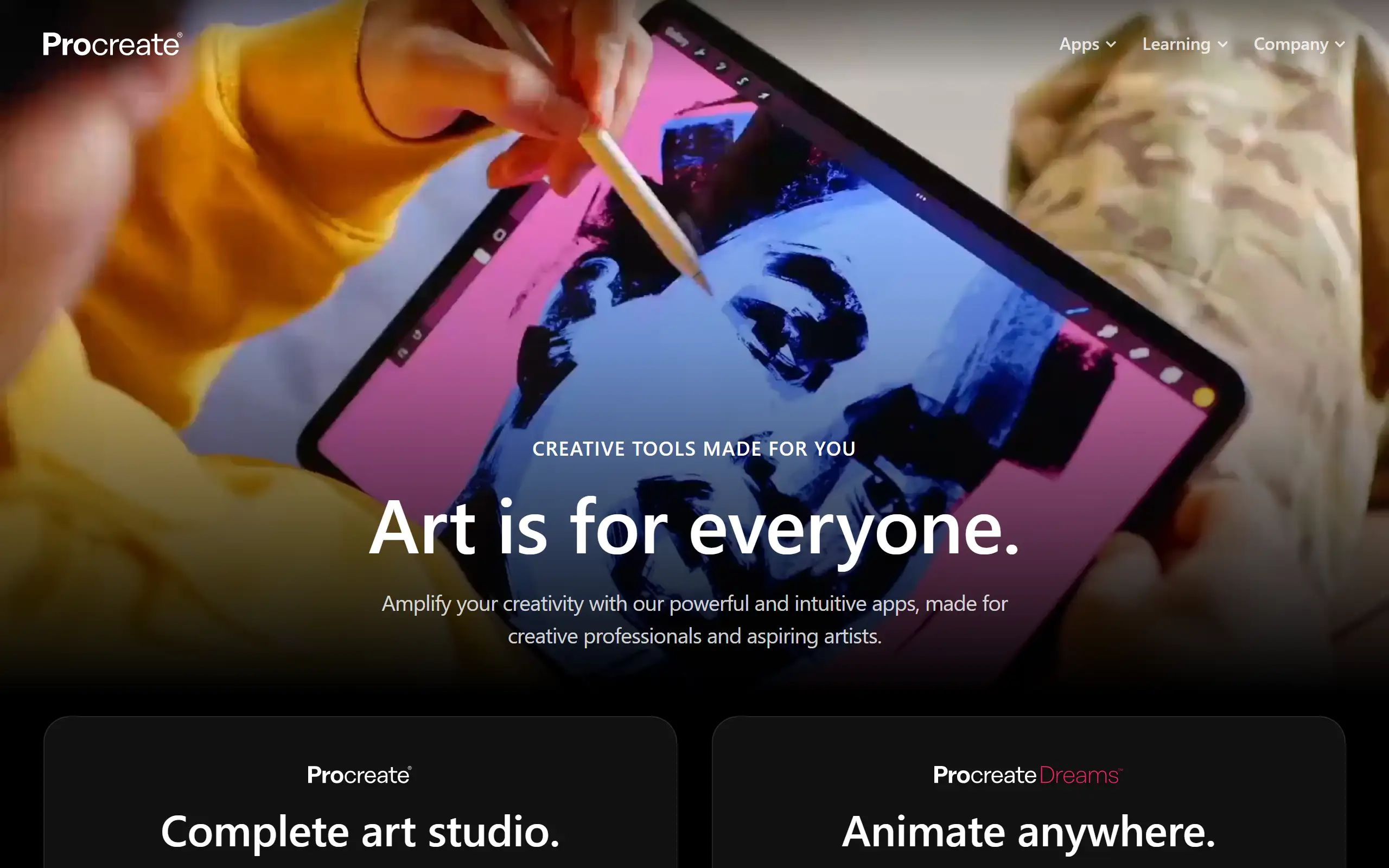
Procreate Pricing Plans 2025
Procreate (iPad)
Best for: Digital artists and illustrators on iPad
- Full illustration suite
- 200+ built-in brushes + custom brush engine
- Unlimited layers (hardware-dependent)
- Animation assist (frame-by-frame)
- PSD, PDF, TIFF, PNG, JPEG export
- Time-lapse recording of artwork process
- 3D model painting
- All future updates included free
Value Analysis: The best deal in creative software, period. A professional-grade illustration tool for less than the cost of two coffees. The 3-year TCO comparison is staggering: Procreate $12.99 vs Photoshop $825 vs Clip Studio Paint $49.99-$219.99.
Procreate Dreams (iPad)
Best for: Animators and motion designers on iPad
- Full 2D animation suite
- Scene-based timeline
- Onion skinning and keyframes
- Sound import and sync
- Export to MP4, GIF, and more
- Built on Procreate's brush engine
Value Analysis: Launched in 2023, Dreams brings Procreate's drawing excellence to animation. At $19.99 one-time vs After Effects' $22.99/month, it's aimed at illustrators who want to animate their work — not motion graphics professionals.
Procreate Pocket (iPhone)
Best for: Quick sketches and mobile drawing on iPhone
- Core Procreate features adapted for iPhone
- Finger or Apple Pencil (with compatible iPhone)
- Export formats matching Procreate
- Syncs projects with iPad version
Value Analysis: A solid companion for sketching on the go. At $5.99 one-time, it's an easy add-on if you already use Procreate on iPad.
Procreate (complete bundle)
Best for: All three apps together
- Procreate iPad: $12.99
- Procreate Dreams: $19.99
- Procreate Pocket: $5.99
- Total: $38.97 one-time for the entire ecosystem
Value Analysis: Even buying all three Procreate apps ($38.97 total) costs less than one month of Adobe Creative Cloud ($59.99/month). The value proposition is almost absurd.
Hidden Costs to Watch Out For
- 1. iPad hardware requirement ($329-$1,299+): Procreate is iPad-only. If you don't own an iPad, the real cost is $329+ (iPad 10th gen) to $1,299+ (iPad Pro). The Apple Pencil adds $79-$129.
- 2. Third-party brush packs ($0-$50+): While 200+ brushes are included, many artists buy custom brush packs from creators on Gumroad or Etsy. These range from free to $50+ for premium sets.
- 3. No price lock guarantee: Procreate raised from $9.99 to $12.99 (a 30% increase). While current owners aren't affected, new buyers pay the higher price. Future increases are possible.
Pro tip: If you're on the fence, check if your iPad model supports Apple Pencil before buying. Procreate works with touch, but the Apple Pencil experience is transformative. Also: the iPad 10th gen ($329) + Apple Pencil ($79) + Procreate ($12.99) = $421 total for a complete digital art setup.
Pros & Cons
Pros
- One-time purchase in a subscription world – While every competitor has moved to subscriptions, Procreate charges $12.99 once. Over 3 years, that saves you $800+ vs Photoshop and $100+ vs Clip Studio Paint's subscription.
- Free updates forever – Major updates (5.0 with animation, 5.2 with 3D painting) were all free for existing owners. No 'upgrade' fees, no version numbers to re-purchase.
- Industry-leading Apple Pencil integration – Procreate's pressure sensitivity, tilt detection, and palm rejection make it feel like drawing on paper. Artists consistently rank it above Photoshop and Clip Studio for iPad drawing feel.
- Massive community and brush ecosystem – Millions of users mean thousands of free tutorials on YouTube, custom brush packs, and an active community sharing techniques and templates.
Cons
- iPad-only — no desktop or Android version – If you don't own an iPad, Procreate is inaccessible. There's no Mac, Windows, or Android version. The hardware requirement adds $329+ to the real cost.
- Limited photo editing capabilities – Procreate is an illustration tool, not a photo editor. For compositing, masking, and photo manipulation, Photoshop or Affinity Photo is significantly more capable.
- No collaboration or cloud sync features – Procreate is single-user only. No real-time collaboration, no cloud project management, no team features. Files are stored locally on iPad.
- Layer count depends on hardware – On older iPads, large canvases may only support 10-20 layers. iPad Pro with M-series chips handles much more, but it's a hardware limitation Procreate can't fix.
Our Take
After monitoring Procreate's pricing across 31 snapshots over 3 years, I can say this with confidence: it's the anti-subscription hero that digital artists have been waiting for. At $12.99 one-time, it's the most consumer-friendly pricing in professional creative software. Our data shows the only price change was $9.99 → $12.99 — and even that kept the one-time model intact. The iPad-only limitation is real, but if you already own an iPad (or plan to get one), there's no reason not to buy Procreate. For illustration, concept art, and digital painting, it's the best value in the industry by a massive margin.
Is Procreate Right for You?
Hobbyist / Beginner artist
Procreate iPad ($12.99) is all you need. Cheapest entry into professional digital art.
Recommended: Procreate iPad
Monthly cost: $12.99 one-time
Freelance illustrator
Procreate iPad + Procreate Pocket for on-the-go sketching. Total: $18.98 one-time.
Recommended: Procreate + Pocket
Monthly cost: $18.98 one-time
Saves $263/year vs Photoshop subscription ($22.99/mo). Pays for itself in 2 weeks.
Animator / Motion artist
Procreate + Dreams bundle. Total: $32.98 one-time for illustration + animation.
Recommended: Procreate + Dreams
Monthly cost: $32.98 one-time
After Effects costs $22.99/month ($275/year). Procreate Dreams costs 26 days of After Effects.
Studio / Agency
Procreate per-artist at $12.99 each. No volume licensing needed — App Store purchase per iPad.
Recommended: Per-device purchase
Monthly cost: $12.99 per iPad (one-time)
10 artists × $12.99 = $129.90 total. Vs Adobe CC: 10 × $59.99/mo = $7,198.80/year.
Skip Procreate If:
- •You don't own an iPad and aren't planning to buy one — the hardware cost dwarfs the app cost
- •You need advanced photo editing (compositing, masking, RAW processing) — use Photoshop or Affinity Photo
- •You need cross-platform compatibility — Procreate files don't work on Windows/Android
- •You need team collaboration features — Procreate is single-user only
Procreate Alternatives & Competitors
| Tool | Starting Price | Free Tier | Best For | Key Difference |
|---|---|---|---|---|
| CurrentProcreate | $12.99 one-time | iPad illustration with no subscription | One-time purchase, iPad-only, free updates forever | |
| Adobe Photoshop (iPad) | $9.99/mo ($119.88/yr) | Photo editing + illustration with desktop sync | Subscription model, cross-platform, stronger photo editing | |
| Clip Studio Paint | $4.49/mo or $49.99 one-time (iPad) | Manga and comic artists | Cross-platform, manga-specific tools, both subscription and one-time options | |
| Affinity Designer 2 | $21.99 one-time (iPad) | Vector illustration and graphic design | One-time purchase, vector + raster, cross-platform with separate purchases |
Detailed Comparisons
Procreate vs Adobe Photoshop
You primarily illustrate and draw, want a one-time purchase, and don't need desktop sync or advanced photo editing
You need photo editing, compositing, cross-platform access, or are already paying for Adobe Creative Cloud
Procreate vs Clip Studio Paint
You're a general digital artist who values Apple Pencil feel and doesn't need manga-specific panel tools
You draw manga or comics and need panel layout tools, or you need cross-platform (Windows/Mac/Android) support
Procreate vs Affinity Designer 2
You primarily create raster illustrations and paintings, and want the best brush engine on iPad
You need vector illustration, graphic design layouts, or print-ready output
Frequently Asked Questions
Pricing
How much does Procreate cost in 2026?
Is Procreate a one-time purchase or subscription?
Did Procreate raise its price?
Are Procreate updates free?
Features
Can Procreate replace Photoshop?
Does Procreate work on Android?
Do I need an Apple Pencil for Procreate?
Track Procreate Pricing
Get instant alerts when Procreate changes pricing. Never miss an update.