
Microsoft Clarity Pricing 2026: Plans & Reviews
Free heatmaps and recordings
🔔 Get alerted the next time Microsoft Clarity changes its price
Instant email + Slack alerts on real price changes. From $19/month.
Key Facts
- Current price:
- Free (100% free, no paid tiers)
- Pricing model:
- freemium
- Plans available:
- 1
- Free tier:
- Yes — unlimited, no restrictions on traffic, recordings, or features
- Data source:
- Official page monitored since November 2025
- Snapshots tracked:
- 78
Quick Verdict
Bottom Line
Microsoft Clarity is 100% free — no paid tiers, no traffic limits, no feature gates. You get unlimited session recordings, heatmaps, AI-powered summaries (Copilot), and mobile app analytics without paying anything. We've tracked Clarity's page across 78 snapshots since November 2025, and the pricing has never changed: free forever. For teams that want heatmaps and session recordings without the $49-$199/month cost of Hotjar or FullStory, Clarity is the obvious first choice. The trade-off is that Clarity focuses on behavioral analytics only — no surveys, feedback widgets, or product analytics. But for understanding how users interact with your pages, it's remarkably capable for a free tool.
Who Should Use It
- Website owners who want heatmaps and session recordings without paying for Hotjar
- Small businesses and startups that need user behavior data on a $0 budget
- UX designers and product teams who want quick behavioral insights
- Marketing teams optimizing landing pages and conversion funnels
Who Should Skip It
- Teams needing user surveys and feedback widgets (use Hotjar or Typeform)
- Product teams needing quantitative funnel analytics (use Mixpanel or Amplitude)
- Organizations requiring HIPAA-compliant session recordings
- Teams that need real-time alerting on user behavior changes
Our Monitoring Data
We've been monitoring Microsoft Clarity's page since November 2025, collecting 78 snapshots over 16 months. In every single snapshot, the pricing has been the same: free, no limits, no paid tiers. The feature set has expanded during our tracking period — Copilot AI chat and Brand Agents were added — but always as free additions. This is one of the most stable pricing models in our entire database of 260+ tools.
What is Microsoft Clarity?
Microsoft Clarity launched in 2020 as a free user behavior analytics tool. Built by Microsoft, it offers heatmaps, session recordings, and AI-powered insights — features that competitors like Hotjar charge $49-$199/month for. The catch? There is no catch. Clarity is genuinely free with no traffic caps or feature restrictions.
The tool competes directly with <a href="/tools/hotjar">Hotjar</a> (now part of Contentsquare) in the heatmap and session recording category. While Hotjar's free tier limits you to 5,000 sessions/month, Clarity has no session limits at all. For teams that primarily need to see where users click, scroll, and struggle on their pages, Clarity covers 80% of what Hotjar offers at 0% of the cost.
What sets Clarity apart is the Copilot AI integration. It generates automatic summaries of user behavior patterns, identifies friction points, and lets you ask questions about your analytics data in natural language. This AI layer is included free — Hotjar charges for similar AI features on their paid plans.
Clarity integrates with Google Analytics 4, giving you behavioral context alongside your traffic data. It also supports mobile app analytics for Android, iOS, Flutter, and React Native. For teams already using tools like <a href="/tools/mixpanel">Mixpanel</a> for product analytics, Clarity adds a visual behavior layer without overlap — Mixpanel tracks events and funnels, Clarity shows you the actual user experience.
The main limitation is scope: Clarity is purely observational. No surveys, no feedback widgets, no A/B testing. If you need those, you'll need Hotjar, VWO, or separate tools alongside Clarity.
Key Features That Affect Pricing
| Feature | Free | Pro | Business |
|---|---|---|---|
| Session recordings | Unlimited | N/A (free only) | N/A (free only) |
| Heatmaps | Unlimited | N/A (free only) | N/A (free only) |
| AI summaries (Copilot) | ✅ | N/A (free only) | N/A (free only) |
| Traffic limit | No limit | N/A (free only) | N/A (free only) |
| Mobile app analytics | ✅ (Android, iOS, Flutter, React Native) | N/A (free only) | N/A (free only) |
| GA4 integration | ✅ | N/A (free only) | N/A (free only) |
What Makes Microsoft Clarity Different
- 1100% free with no traffic limits — seriously – No session caps, no feature gates, no paid tiers. Microsoft subsidizes Clarity through its broader analytics ecosystem. You get everything — heatmaps, recordings, AI insights — for $0/month forever.
- 2Copilot AI generates behavioral insights automatically – Copilot analyzes session recordings at scale, surfaces friction points, and lets you ask questions like 'Why are users leaving the checkout page?' in natural language. Competitors charge $49-$199/month for similar AI features.
- 3Mobile app analytics included – Session recordings and heatmaps for Android, iOS, Flutter, and React Native apps — included free. Hotjar charges extra for mobile analytics, and many competitors don't support mobile at all.
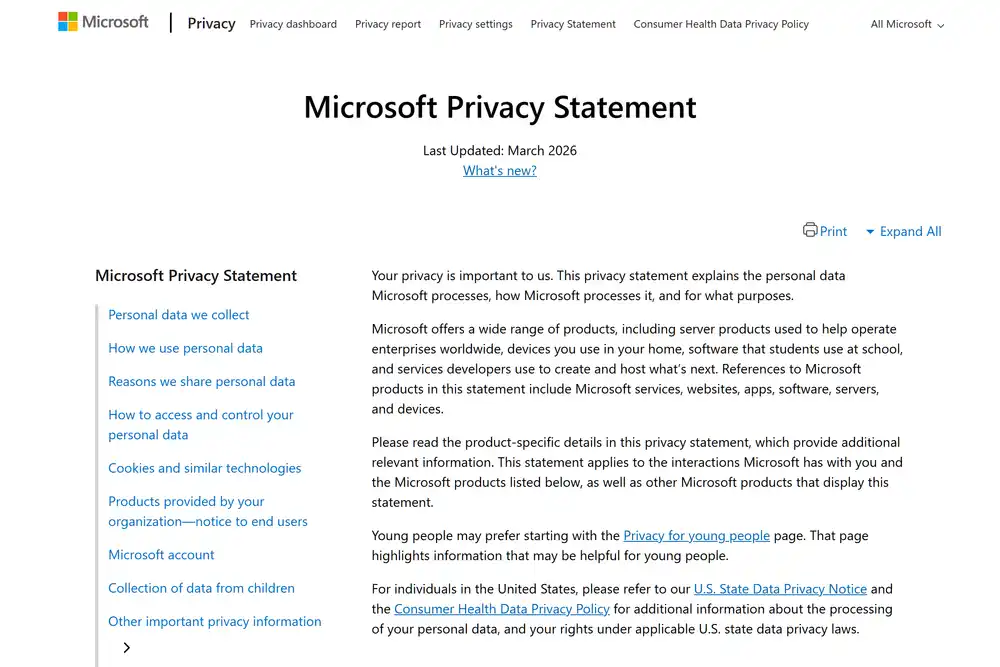
Microsoft Clarity Pricing Plans 2025
Free
Best for: Everyone — there's no reason not to use it
- Unlimited session recordings
- Unlimited heatmaps (click, scroll, area)
- Copilot AI summaries and chat
- No traffic limits
- Mobile app analytics (Android, iOS, Flutter, React Native)
- Google Analytics 4 integration
- Browser extension for live page analysis
- Smart session filtering and highlights
- Dead click and rage click detection
- Brand Agents (AI shopping assistants)
Value Analysis: The best value in the analytics category. You get features that cost $49-$199/month elsewhere, completely free. The only 'cost' is time spent setting it up (about 5 minutes to add the script tag).
Hidden Costs to Watch Out For
- 1. No hidden costs — but be aware of limitations: Clarity is genuinely free. The 'cost' is that you'll likely need additional tools for surveys (Hotjar/Typeform), product analytics (Mixpanel), or A/B testing (VWO/Optimizely) — which do have costs.
- 2. Data privacy considerations: Clarity is a Microsoft product. Session recordings capture user interactions on your site. While Clarity masks sensitive inputs by default, review your privacy policy and ensure GDPR/CCPA compliance for your jurisdiction.
- 3. Feature gaps require supplementary tools: If you need surveys, feedback, and session recordings in one tool, Hotjar's Growth plan ($49/mo) bundles all three. Running Clarity + a separate survey tool might cost more than Hotjar alone.
Pro tip: Install Clarity alongside Google Analytics 4 — the native integration lets you see Clarity session recordings directly from GA4 reports. This gives you quantitative data (GA4) plus qualitative context (Clarity recordings) in one workflow, all for free.
Pros & Cons
Pros
- Completely free with no usage limits – No session caps, no traffic limits, no feature restrictions. This alone makes Clarity the default choice for any team that needs heatmaps and recordings on a budget.
- AI-powered insights are genuinely useful – Copilot automatically identifies rage clicks, dead clicks, and friction points. The natural language chat lets non-technical team members explore behavioral data without learning complex analytics interfaces.
- Dead simple setup — 5 minutes to start – Add a single JavaScript snippet to your site. No complex configuration, no account verification, no credit card required. Start seeing data within minutes.
- Backed by Microsoft — long-term reliability – Unlike startup analytics tools that may pivot or shut down, Microsoft's backing means Clarity will be maintained and improved. The Copilot AI integration shows continued investment.
Cons
- No surveys or user feedback collection – Clarity only observes behavior — it can't ask users why they did something. For qualitative feedback, you still need Hotjar's surveys, Typeform, or a dedicated feedback tool.
- No product analytics features – No funnels, no cohort analysis, no retention curves, no event tracking dashboards. Clarity tells you what users do on your pages, not how they progress through your product.
- Session recording search and filtering could be better – Finding specific sessions in a large volume of recordings requires patience. The filtering options are functional but less refined than Hotjar's or FullStory's search capabilities.
- Limited customization for enterprise needs – No SSO, no team roles beyond basic sharing, no SLA guarantees. Enterprise teams with strict access control requirements may find Clarity too basic for their governance needs.
Our Take
Microsoft Clarity is the easiest recommendation in our entire tool database. It's free, it works, and it provides real value. Install it on every website you manage — there's literally no downside. For most small-to-medium businesses, Clarity's heatmaps and recordings are sufficient. Only upgrade to Hotjar if you specifically need surveys, or to Mixpanel/Amplitude if you need product analytics. Start with Clarity, add paid tools only when you hit its limitations.
Is Microsoft Clarity Right for You?
Blogger or personal website owner
Install Clarity immediately. See where readers engage and where they leave. Zero cost, zero risk.
Recommended: Free
Monthly cost: $0
Identify content gaps and UX issues that cost you readers — worth hours of guessing
Startup or SaaS product team
Use Clarity for behavioral insights alongside Mixpanel for product analytics. Best free combo available.
Recommended: Free
Monthly cost: $0
Save $600-$2,400/year vs Hotjar paid plans while getting 80% of the functionality
E-commerce site optimizing conversions
Clarity's heatmaps and rage click detection identify checkout friction. Pair with Google Analytics for conversion tracking.
Recommended: Free
Monthly cost: $0
Finding and fixing one checkout friction point can increase conversions 5-15%
Agency managing multiple client sites
Install Clarity on every client site. Use recordings in client presentations to demonstrate UX findings.
Recommended: Free
Monthly cost: $0
Client-facing session recordings justify UX recommendations and increase project scope
Skip Microsoft Clarity If:
- •You need user surveys and in-app feedback collection (add Hotjar or Typeform)
- •You need HIPAA-compliant session recordings for healthcare applications
- •Your organization requires enterprise SSO and role-based access control for analytics
- •You need real-time behavioral alerts and automated responses to user actions
Microsoft Clarity Alternatives & Competitors
| Tool | Starting Price | Free Tier | Best For | Key Difference |
|---|---|---|---|---|
| CurrentMicrosoft Clarity | Free (forever) | Heatmaps and session recordings on any budget | 100% free with no limits — the baseline every other tool is compared against | |
| Hotjar | Free – $171/mo | Combined heatmaps + surveys + feedback in one tool | Adds surveys and feedback widgets that Clarity lacks, but costs $49-$171/month | |
| FullStory | Custom pricing | Enterprise-grade digital experience analytics | More powerful search, error tracking, and product analytics — at enterprise prices | |
| PostHog | Free – usage-based | Open-source product analytics with session replay | Includes product analytics (funnels, cohorts) alongside recordings — open source | |
| Mouseflow | Free – $299/mo | Form analytics and conversion optimization | Specialized form analytics and friction scoring — niche use case |
Detailed Comparisons
Microsoft Clarity vs Hotjar
You only need heatmaps and session recordings and want to pay $0/month
You need user surveys, feedback widgets, and session recordings in one integrated tool
Microsoft Clarity vs PostHog
You want the simplest possible setup for behavioral analytics with AI insights included
You need an open-source, self-hostable solution with product analytics alongside session replay
Microsoft Clarity vs FullStory
Your team needs behavioral analytics without an enterprise procurement process or budget
You need advanced error tracking, product analytics, and enterprise-grade support and compliance
Frequently Asked Questions
Pricing & Cost
Is Microsoft Clarity really free?
Will Microsoft Clarity always be free?
How does Microsoft Clarity make money if it's free?
Features & Comparison
Is Microsoft Clarity better than Hotjar?
Does Microsoft Clarity slow down my website?
Can I use Microsoft Clarity with Google Analytics?
Track Microsoft Clarity Pricing
Get instant alerts when Microsoft Clarity changes pricing. Never miss an update.