
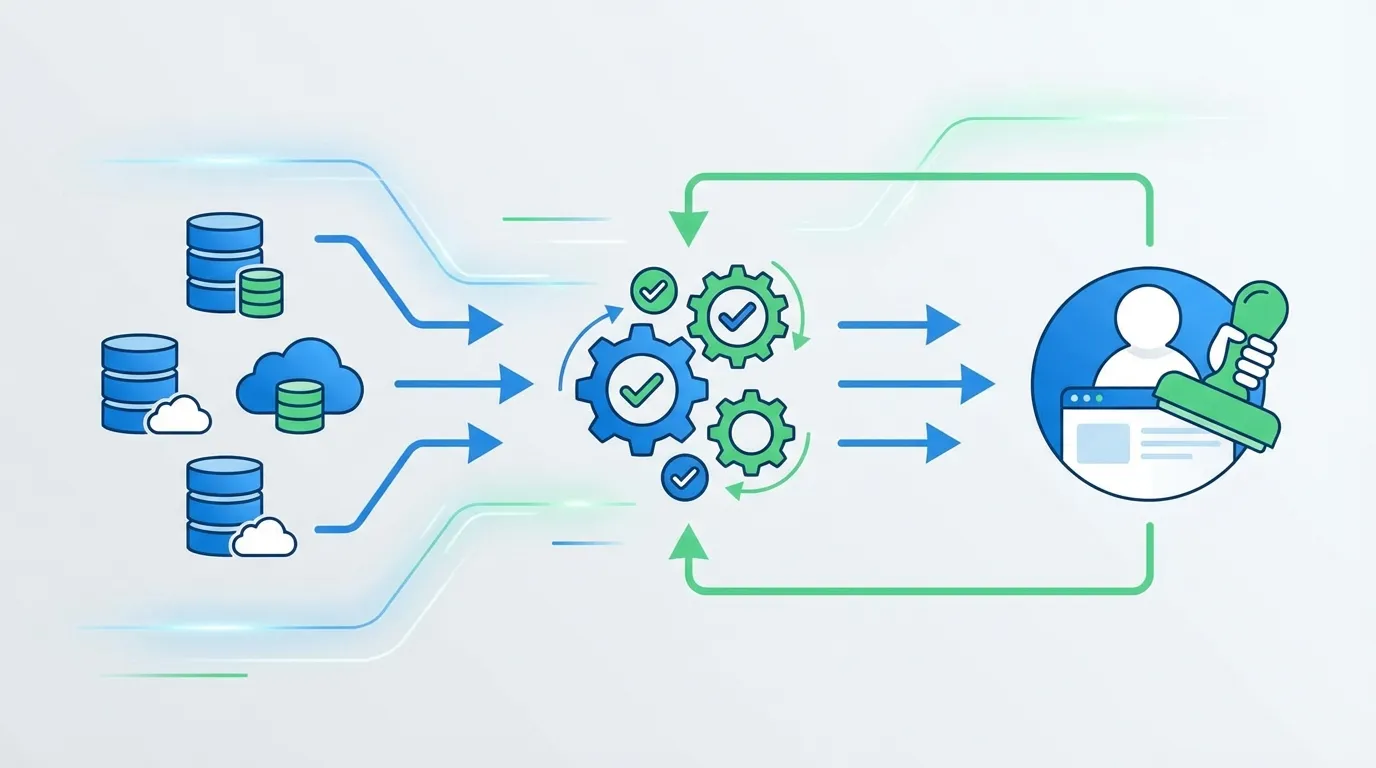
When you're tracking pricing data for 290+ SaaS tools, accuracy isn't optional—it's existential. A single false positive (claiming Notion raised prices when they didn't) destroys user trust. Here's how we built a verification system that combines AI extraction with human oversight to achieve 95%+ accuracy.
📊 System Performance
📑 Table of Contents
1. The Problem: AI Extraction Isn't Perfect
Our initial approach was straightforward: use Gemini Pro to extract pricing data from HTML, store it, compare against previous extractions, flag changes. Simple, right?
After analyzing 1,900+ snapshots, we discovered several failure modes:
- Billing period confusion: AI extracting "$48/year" as "$48/month" (12x error)
- Promotional pricing: Capturing sale prices instead of regular prices
- Duplicate plans: Same plan extracted multiple times with different names
- Missing context: Enterprise "Contact Sales" interpreted as $0
Real Example: Our system once flagged Notion as having a "+1040% price increase" when the actual change was from €10/month to €114/year—the same price, different billing period. This would have been a catastrophic false positive if published.
The core insight: you can't automate what you can't verify. We needed a way to establish a trusted "ground truth" before automation could take over.
2. The Baseline Concept
A baseline is the first verified snapshot for each tool. Think of it as the "anchor point" that all future comparisons reference. The key principle:
"The first extraction MUST be human-verified. After that, automation can detect deviations."
Here's the workflow:
- First crawl: AI extracts pricing data → stored as "candidate baseline"
- Human review: Admin reviews extraction against actual pricing page
- Approval/Rejection: If correct, baseline is approved. If wrong, admin corrects it.
- Automation activates: Future crawls compared against verified baseline
- Anomaly flagging: Significant deviations trigger new human review
This creates a "trust chain" where automated decisions inherit confidence from human-verified foundations.
3. Anomaly Detection Thresholds
Not every difference is an anomaly. Pricing pages change formatting, add/remove trial badges, update copyright years. We needed thresholds that catch real changes while ignoring noise.
After analyzing historical data, we settled on these thresholds:
| Threshold | Value | Rationale |
|---|---|---|
| Price Change | >50% | Most real price changes are 10-30%. 50%+ usually indicates extraction error. |
| New Plans | >3 | Companies rarely add 4+ plans at once. Often indicates duplicate extraction. |
| Missing Plans | >2 | Removing 3+ plans is rare. Usually means incomplete page load. |
| Confidence Score | <0.5 | Below 50% confidence, human review is mandatory. |
Here's the actual implementation:
const ANOMALY_THRESHOLDS = {
  PRICE_CHANGE_PERCENT: 50,  // >50% change is suspicious
  MAX_NEW_PLANS: 3,          // More than 3 new plans is suspicious
  MAX_MISSING_PLANS: 2,      // More than 2 missing plans is suspicious
  MIN_CONFIDENCE: 0.5,       // Below this, flag as anomaly
};
4. Confidence Scoring Algorithm
The confidence score quantifies how much we trust an extraction compared to the baseline. It starts at 1.0 (100%) and gets penalized for various issues:
| Issue | Penalty | Example |
|---|---|---|
| Plan count difference | -10% per plan | Baseline has 4 plans, new has 6 → -20% |
| Missing plan | -15% per plan | "Enterprise" plan disappeared → -15% |
| Anomalous price change | -20% per change | Pro: $10 → $100 (900% change) → -20% |
The algorithm in code:
function calculateConfidence(
  baseline: PlanData[],
  current: PlanData[]
): number {
  let confidence = 1.0;

  // Penalize plan count differences
  const planDiff = Math.abs(baseline.length - current.length);
  confidence -= planDiff * 0.10;

  // Penalize missing plans
  const missingPlans = baseline.filter(
    b => !current.some(c => normalizePlanName(c.name) === normalizePlanName(b.name))
  );
  confidence -= missingPlans.length * 0.15;

  // Penalize anomalous price changes
  for (const basePlan of baseline) {
    const match = findMatchingPlan(current, basePlan.name);
    if (match) {
      const change = calculatePriceChange(basePlan.price, match.price);
      if (Math.abs(change) > ANOMALY_THRESHOLDS.PRICE_CHANGE_PERCENT) {
        confidence -= 0.20;
      }
    }
  }

  return Math.max(0, Math.min(1, confidence));
}
Plan Name Normalization
Comparing plan names requires fuzzy matching. "Professional Plan" and "Professional" should match. We normalize by removing common suffixes:
function normalizePlanName(name: string): string {
  return name
    .toLowerCase()
    .replace(/s*(plan|tier|package|edition)s*/gi, '')
    .replace(/s+/g, ' ')
    .trim();
}

// "Professional Plan" → "professional"
// "Enterprise Tier" → "enterprise"
// "Business Package" → "business"
Price Normalization
Different tools quote prices in different periods. We normalize everything to monthly:
function normalizeToMonthly(price: number, period: string): number {
  const periodLower = period.toLowerCase();

  if (periodLower.includes('year') || periodLower.includes('annual')) {
    return price / 12;
  }
  if (periodLower.includes('quarter')) {
    return price / 3;
  }
  if (periodLower.includes('week')) {
    return price * 4.33; // Average weeks per month
  }

  return price; // Assume monthly
}
5. The Admin Review Interface
Speed matters for human review. With 290 tools, even 2-minute reviews would take 9+ hours. We built an admin interface optimized for rapid decision-making:
Admin UI Features:
- ✓ Status tabs: Pending / Verified / Needs Review with counts
- ✓ Pre-loaded context: Tool name, URL, tier, last crawl date
- ✓ Plans table: Name, price, billing period, features at a glance
- ✓ One-click actions: Approve or Reject with optional notes
- ✓ Audit trail: Who approved, when, with what corrections
The interface uses a card-based design where each monitor is expandable:
// Simplified component structure
function BaselineCard({ monitor }: { monitor: Monitor }) {
  const [expanded, setExpanded] = useState(false);

  return (
    <div className="border rounded-lg p-4">
      <div className="flex justify-between items-center">
        <div>
          <h3>{monitor.name}</h3>
          <span className={statusBadge}>{monitor.baselineStatus}</span>
        </div>
        <button onClick={() => setExpanded(!expanded)}>
          {expanded ? 'Collapse' : 'Expand'}
        </button>
      </div>

      {expanded && (
        <>
          <PlansTable plans={monitor.candidateBaseline.plans} />
          <div className="flex gap-2 mt-4">
            <button onClick={handleApprove}>✓ Approve</button>
            <button onClick={handleReject}>✗ Reject</button>
          </div>
        </>
      )}
    </div>
  );
}
6. Database Schema Design
The audit trail is critical for debugging and compliance. We track every review decision:
// Drizzle ORM schema
export const baselineReviews = pgTable("baseline_reviews", {
  id: uuid("id").defaultRandom().primaryKey(),
  snapshotId: uuid("snapshot_id").notNull(),
  monitorId: uuid("monitor_id").notNull(),
  reviewerEmail: varchar("reviewer_email", { length: 255 }).notNull(),
  status: varchar("status", { length: 50 }).notNull(), // approved | rejected
  originalPriceData: jsonb("original_price_data"),
  correctedPriceData: jsonb("corrected_price_data"), // If admin made corrections
  notes: text("notes"),
  reviewedAt: timestamp("reviewed_at").defaultNow(),
});

// Monitor table additions
export const monitors = pgTable("monitors", {
  // ... existing fields
  baselineSnapshotId: uuid("baseline_snapshot_id"),
  baselineStatus: varchar("baseline_status", { length: 50 })
    .default("pending"), // pending | verified | needs_review
});
The correctedPriceData field is key—when an admin rejects and corrects data,
we store their corrections. This creates training data for improving the AI extractor.
7. Lessons Learned
What Worked
- Thresholds calibrated from real data: Analyzing 1,900+ snapshots before setting thresholds prevented both false positives and missed changes.
- Speed-optimized admin UI: Pre-loading all context reduced review time from 2+ minutes to 30-60 seconds per tool.
- Audit trail from day one: Every decision is logged, making debugging and pattern analysis possible.
What We'd Do Differently
- Earlier human review: We initially ran 3 months of automated extraction before realizing accuracy issues. Should have started with human review.
- Tighter price normalization: Our first version didn't handle quarterly/weekly periods, causing false positives.
- Batch review mode: Reviewing 290 tools one-by-one is tedious. A "quick approve similar" feature would help.
Key Takeaways
- Automation needs anchors: You can't trust automated comparisons without verified baselines.
- Thresholds are not universal: Calibrate from YOUR data, not industry assumptions.
- UX for internal tools matters: Admin interfaces deserve design attention—your team uses them daily.
- Audit trails are gold: Logged corrections become training data for improving extraction.
Try It Yourself
The baseline verification system powers SaaS Price Pulse's pricing intelligence. We track 290+ tools with 95%+ accuracy, catching real price changes while filtering false positives.