
How to Use Our AI Pricing Assistant: The Complete Guide
Learn how to get instant answers about SaaS pricing using our AI chat. Ask questions like 'Did Notion raise prices?' and get accurate data from 18 years of pricing history.
Want instant answers about SaaS pricing? Our AI Pricing Assistant lets you ask natural language questions about any SaaS tool's pricing—past or present. Powered by 18 years of historical data from 260+ tools, it's like having a pricing analyst at your fingertips.
Try It Now
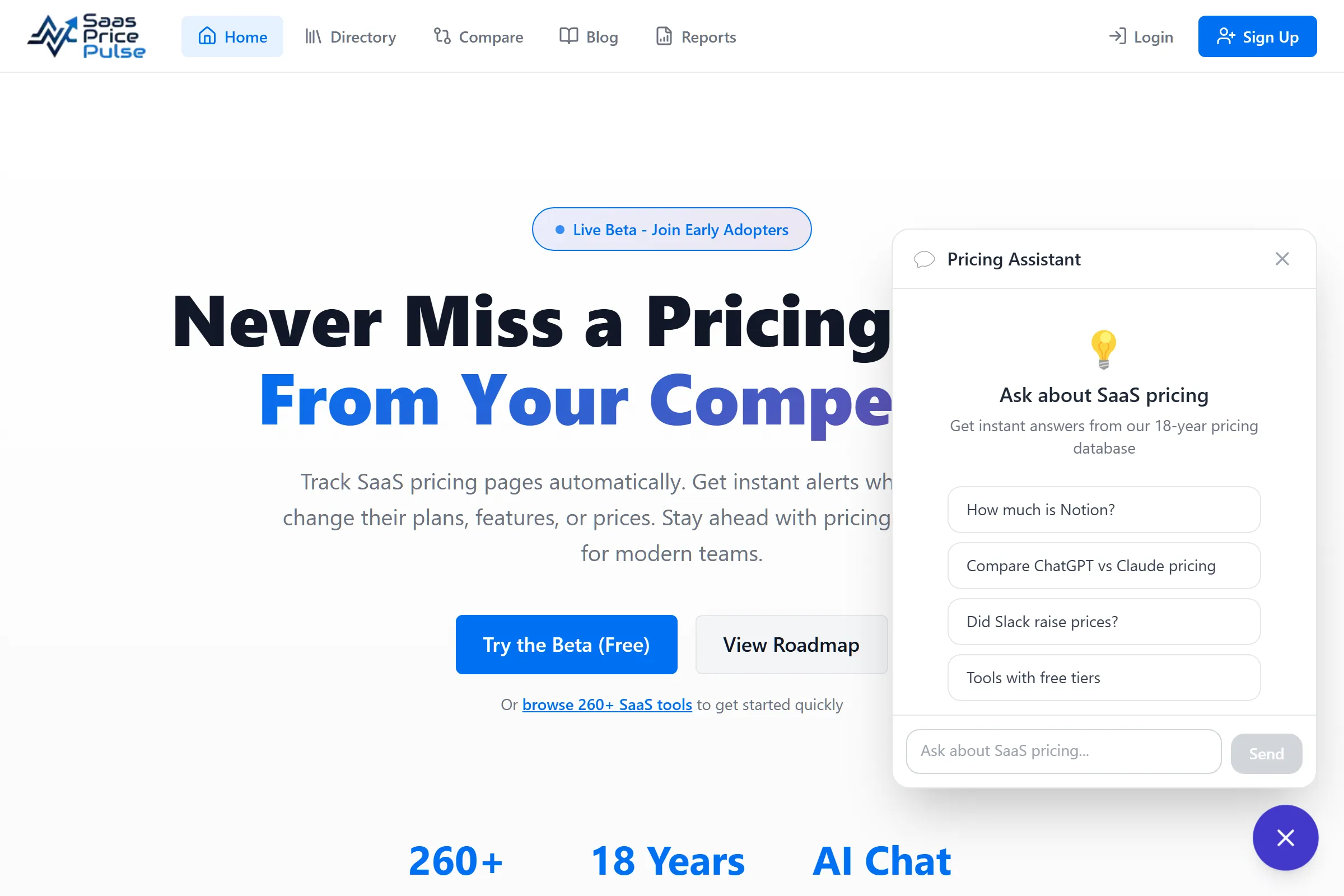
The AI Pricing Assistant is available at the bottom-right corner of every page. Click the chat icon to start asking questions.
Go to Homepage →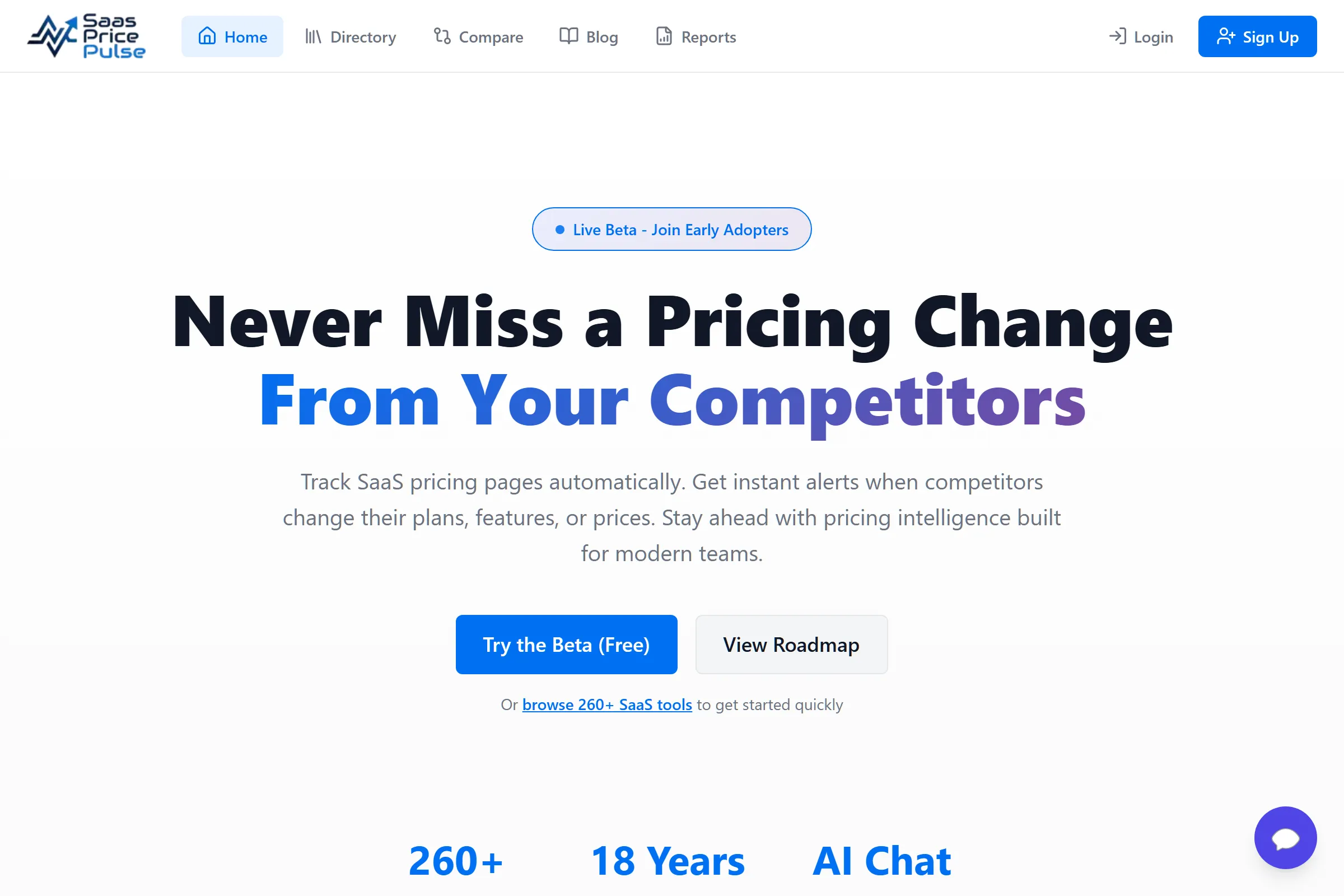
What is the AI Pricing Assistant?
The AI Pricing Assistant is a chat interface that lets you ask questions about SaaS pricing in plain English. Instead of digging through pricing pages or comparing screenshots, just ask:
- "Did Notion raise prices in 2024?"
- "Compare ChatGPT vs Claude pricing"
- "What's the cheapest plan for Slack?"
- "Show me tools under $20/month"
The assistant draws from our database of 2,285+ pricing snapshots spanning 18 years (2007-2025) to give you accurate, data-backed answers.
Example Questions You Can Ask
Price Checks
| Question | What You Get |
|---|---|
| "How much is Notion?" | Current pricing tiers with monthly/annual rates |
| "What's Figma's enterprise price?" | Enterprise tier pricing details |
| "Does Slack have a free tier?" | Free plan features and limitations |
Price History
| Question | What You Get |
|---|---|
| "Did Notion raise prices?" | Price change history with dates |
| "When did ChatGPT change pricing?" | Timeline of pricing changes |
| "Show me Cursor's pricing history" | Full pricing evolution |
Comparisons
| Question | What You Get |
|---|---|
| "Compare ChatGPT vs Claude" | Side-by-side pricing comparison |
| "Notion vs Coda pricing" | Feature-by-feature price comparison |
| "Best CRM under $50/month" | Filtered recommendations |
Discovery
| Question | What You Get |
|---|---|
| "What AI tools have free tiers?" | List of tools with free plans |
| "Show me project management tools" | Category-based tool list |
| "Cheapest design tools" | Budget-friendly options |
How It Works
Behind the Scenes
- 1 You ask a question in natural language
- 2 AI parses your intent and identifies relevant tools
- 3 Database query retrieves pricing data from 2,285+ snapshots
- 4 AI formats response with tables, comparisons, or summaries
The AI has access to:
- 260+ SaaS tools across all categories
- 18 years of data (2007-2025) from Archive.org backfills
- Real-time crawls updated daily
- Price change history for trend analysis
Tips for Best Results
Be Specific
Less Effective
"Tell me about pricing"
More Effective
"What is Notion's Plus plan price?"
Ask Follow-Up Questions
The assistant maintains conversation context. After asking "How much is Notion?", you can follow up with:
- "What about the annual price?"
- "Compare that to Coda"
- "Did it change recently?"
Use Natural Language
No need for special syntax. Ask questions like you would ask a colleague:
- "Which is cheaper, Figma or Canva?"
- "I need a CRM for under $30/month"
- "Has Slack gotten more expensive?"
Rate Limits
To ensure fair usage for everyone:
| User Type | Daily Limit |
|---|---|
| Free Users | 5 queries/day |
| Logged In | 5 queries/day |
The limit resets at midnight UTC. Each question-answer exchange counts as one query.
What the AI Can't Do
While powerful, the AI has some limitations:
- No real-time web search - It uses our database, not live web results
- May not know very new tools - Tools must be in our system first
- Approximations for some data - Historical data depends on Archive.org availability
- No purchase or signup - It provides information only, not transactions
Example Conversation
Here's a typical interaction:
You: Did Notion raise prices recently?
AI: Yes! Notion raised prices in 2024. Here's the timeline:
| Plan | Before (2023) | After (2024) | Change |
|---|---|---|---|
| Plus | $8/mo | $10/mo | +25% |
| Business | $15/mo | $18/mo | +20% |
The free Personal plan remained unchanged.
You: How does that compare to Coda?
AI: Coda's Pro plan is $10/month (same as Notion Plus). However, Coda includes more automation features in their base plan...
Get Started
Ready to try it? Look for the chat icon in the bottom-right corner of any page on SaaS Price Pulse.
Ask Your First Question
The AI Pricing Assistant is free to use. Try asking about your favorite SaaS tool's pricing.
Open Chat Widget →Frequently Asked Questions
Is the AI Pricing Assistant free?
How accurate is the pricing data?
Can I ask about any SaaS tool?
Does the AI remember my previous questions?
Have feedback on the AI Pricing Assistant? Email us at [email protected]
Share this article
Start Tracking SaaS Pricing Today
Never miss a competitor pricing change. Get instant alerts and stay ahead.
Start Tracking Free →